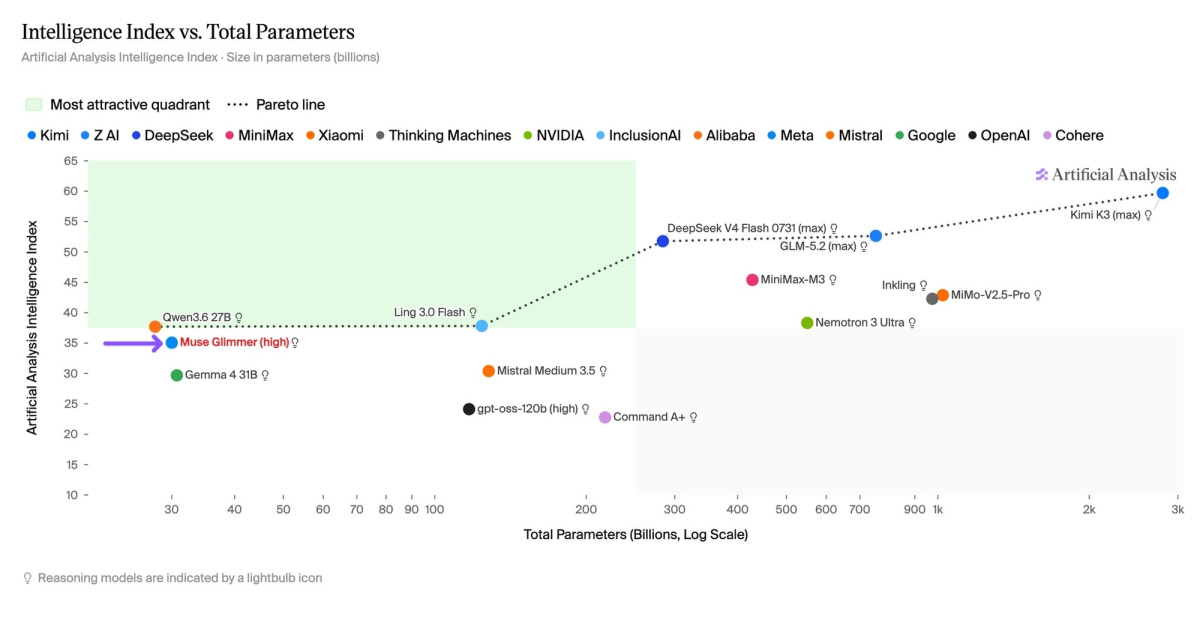
Muse Glimmer is a 29.6B dense, multimodal model trained for coding, research, tool use and long-running agents. It runs locally, comes with an Apache 2.0 licence, and Meta says an open-weight version of the larger Muse Spark 1.2 is coming next. Welcome back.
The launch benchmark that matters most is the model size.
At full precision, Glimmer is roughly 60GB. Meta’s 4-bit build is 17GB. It fits on a 24GB graphics card while leaving room for the context cache, vision encoder and speculative decoder. Meta measured about a 1% average performance loss from that compression across 15 benchmarks.
Sixty gigabytes became seventeen.
More than ordinary quantisation
Source: https://artificialanalysis.ai/articles/muse-glimmer
Meta distilled Glimmer from the much larger Muse Spark, transferring capability from a model that would be impractical to run on a personal machine.
It also made some deliberate architectural choices. Glimmer is dense rather than Mixture-of-Experts, so all 30B parameters are active for every token. Its attention pattern alternates three local layers with one global layer, and it uses only two key-value heads. The result is a minimum KV cache of roughly 1.8GB at its native 128K context, unusually compact for a model of this size.
Then there is DFlash.
A small five-layer model predicts blocks of 16 tokens. Glimmer checks those predictions in parallel, accepts the correct ones and fixes the rest. The final output remains the same, but far fewer decoding steps are needed.
On an RTX 5090, Meta measured 74.9 tokens per second normally and 233.4 with DFlash. The M5 Max moved from 26.6 to 50.2.
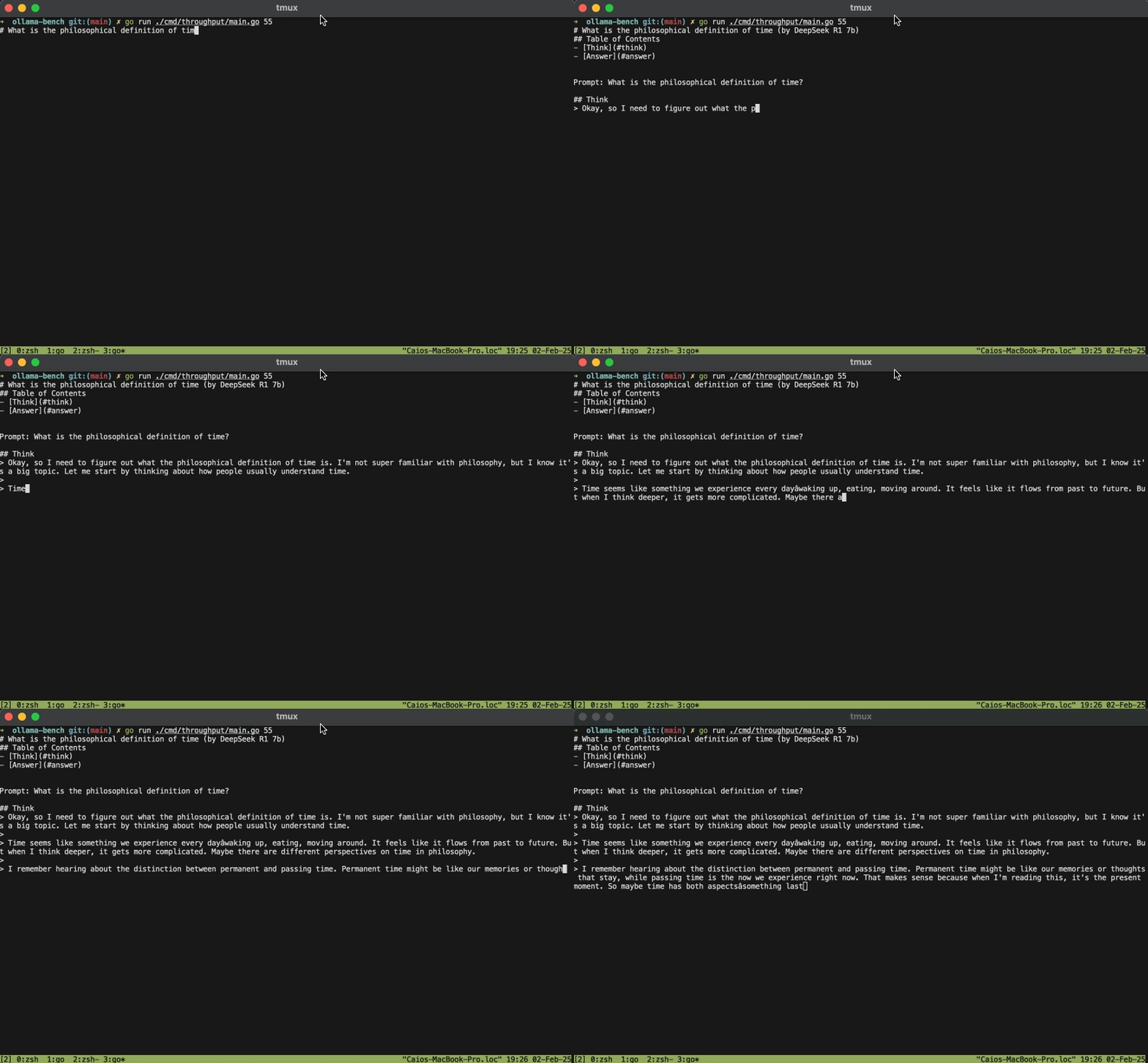
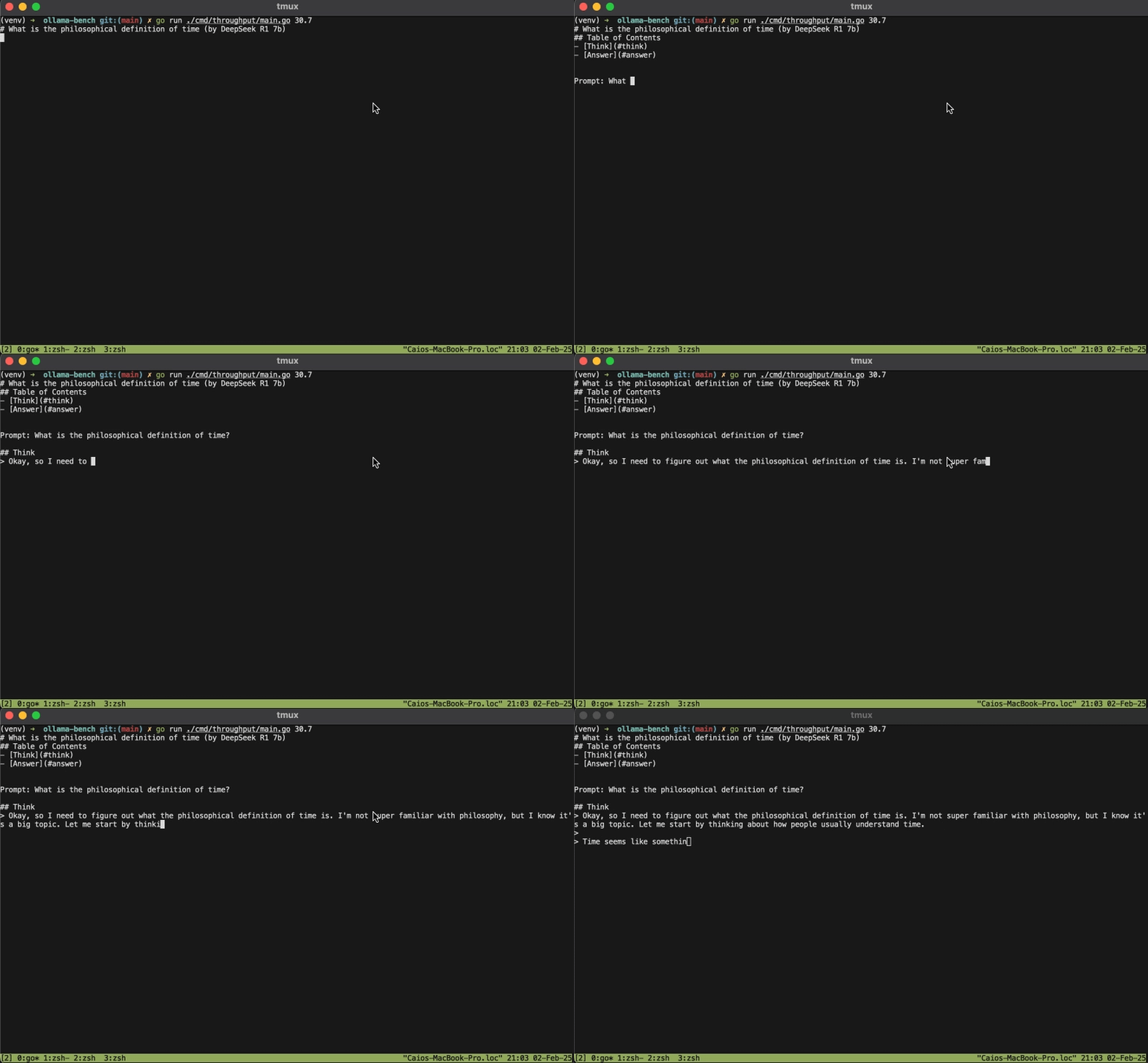
Oh, this is what 50 tokens per second looks like.
(Source : https://dev.to/ocodista/deepseek-r1-7bs-performance-on-a-developers-macbook-3mg2)
The 233 number is not plug-and-play yet. One early 5090 test reached about 140 tok/s using a patched llama.cpp build, while other optimised coding runs have pushed past 200. The speed varies with the runtime, prompt and how accurately the draft model can predict what comes next. Code tends to work particularly well because syntax is structured and repetitive.
At the upper end of those results, the model can produce a patch faster than the test suite can validate it.
Good worker. Not yet a great judge.
Muse Glimmer scores 51.2% on SWE-Bench Pro, where an agent must resolve difficult issues inside real software repositories.
GPT-5.6 Sol scores 64.6%. Claude Fable 5 scores 80%.
That is still a large capability gap. I would open Claude Code or Codex for an ugly production bug, a major refactor or an architectural decision with a large blast radius.
But 51.2% is not a toy result either.
Glimmer can inspect a repository, locate the relevant code, edit several files, run tests, read the failure and take another pass. That covers a fair amount of normal engineering: contained features, test generation, migrations, scripts, documentation and routine bug fixing.
The first user reports are mixed in a useful way. Some developers describe clean tool calls and detailed code reviews with little obvious loss against other strong local models. Others have seen broken code, reasoning loops and failures when the model encounters information it does not know.
That feedback matches the independent benchmarks.
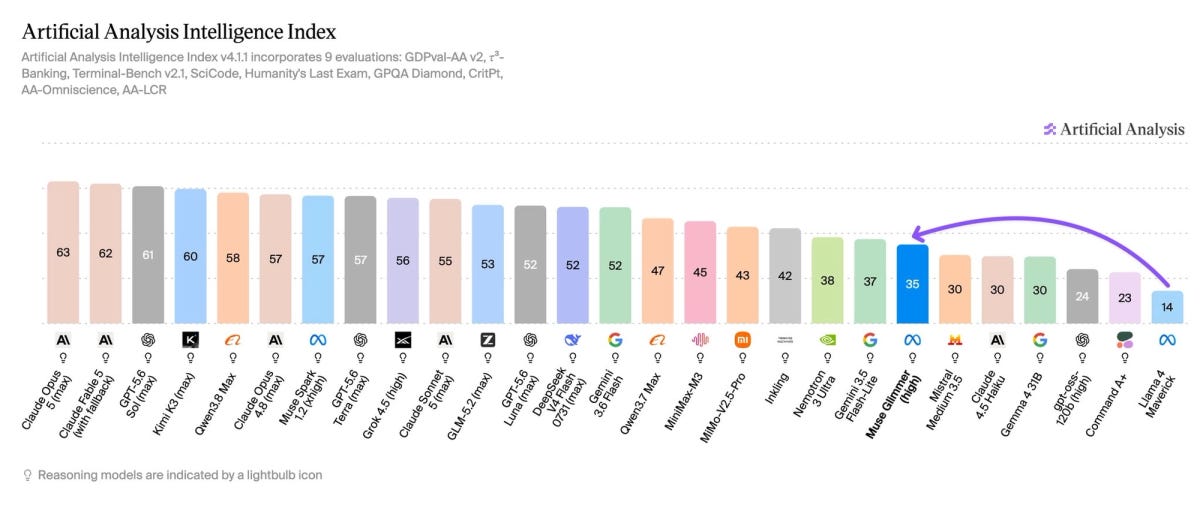
Meta reports 74.6 on DeepSearch QA and 75.5 on MCP Atlas, both aimed at multi-step search and tool use. Artificial Analysis is far less flattering on broad professional knowledge work: Glimmer scored 953 Elo on GDPval-AA v2, below its 1,000 human baseline, with an 82% hallucination rate on its knowledge-calibration test.
The placement inside an enterprise stack is fairly clear.
Give it work that can be checked.
Code with tests. Retrieval with citations. Database queries. Document extraction. API calls. Classification. Reconciliation. Workflow routing.
Do not make it the final authority on a credit decision, compliance conclusion, investment recommendation or board paper.
Local worker, frontier expert
Claude and Codex are normally discussed as products used by people. Agents change that calculation.
A person submits one request. The agent may plan, retrieve, call three tools, inspect the results, retry a failed call, update memory, generate code, run tests and ask another model for review.
One human action can create dozens of inference calls.
OpenAI says Codex averages roughly $100 to $200 per developer per month, with considerable variation once automations and parallel instances enter the picture. Claude Max costs $100 or $200 a month.
Buying a GPU to avoid one software subscription is poor maths.
Running document processing, internal search, coding agents, RAG and operational workflows on the same machine throughout the day is a different business case.
A $5,000 local AI workstation amortised over three years costs roughly $140 a month before power and support. Serving one developer, it may never beat the cloud. Serving several developers and a set of persistent workflows, while keeping sensitive data inside the environment, the utilisation starts to justify the capital.
Someone still has to manage the runtime, evaluate quantised builds, patch vulnerabilities, control tool permissions, monitor failures and decide when the local model should escalate.
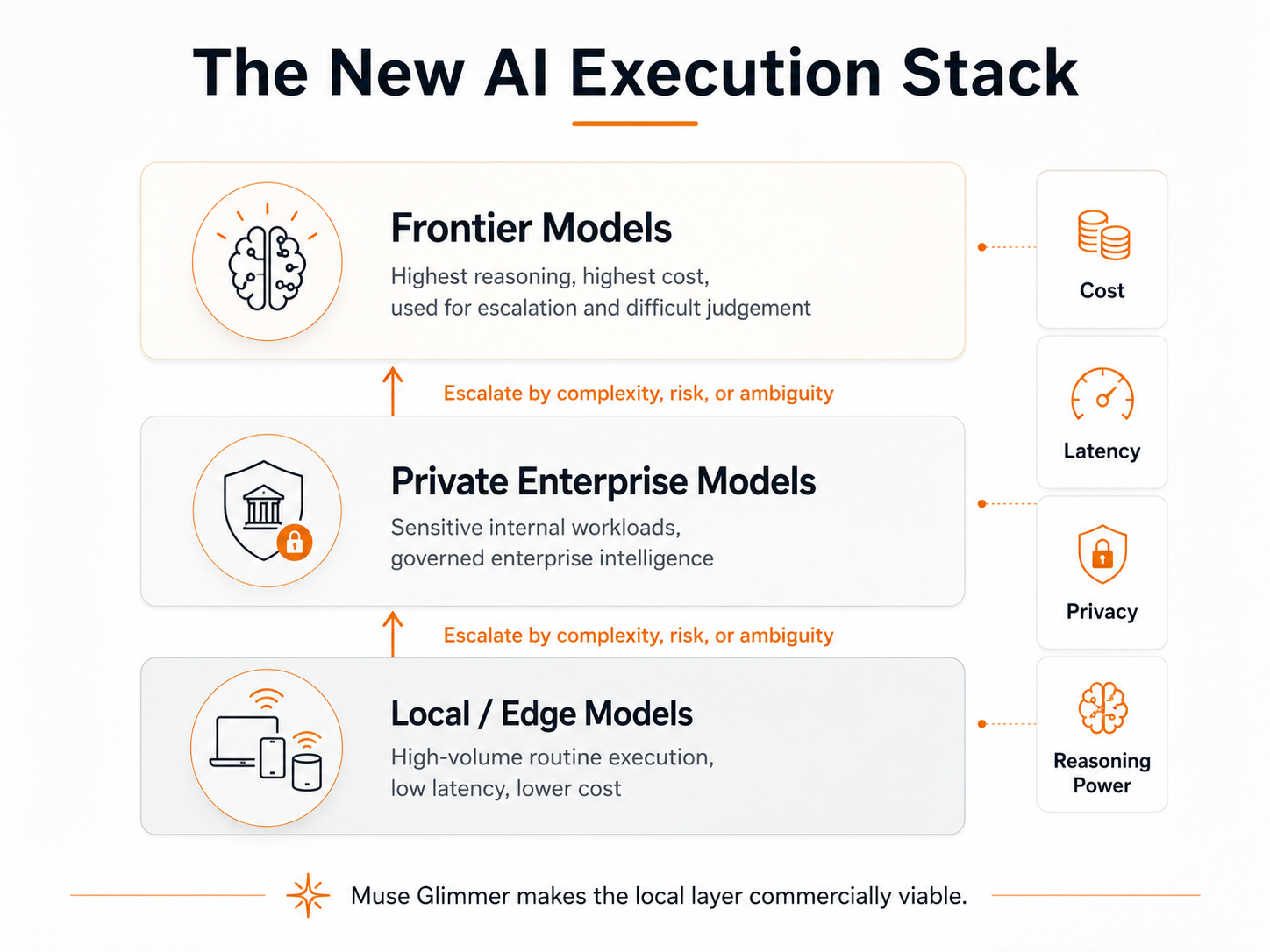
The sensible enterprise stack is unlikely to be one model:
Local models handle volume.
Larger private models handle more difficult or sensitive internal work.
Frontier models handle the problems where additional intelligence changes the outcome.
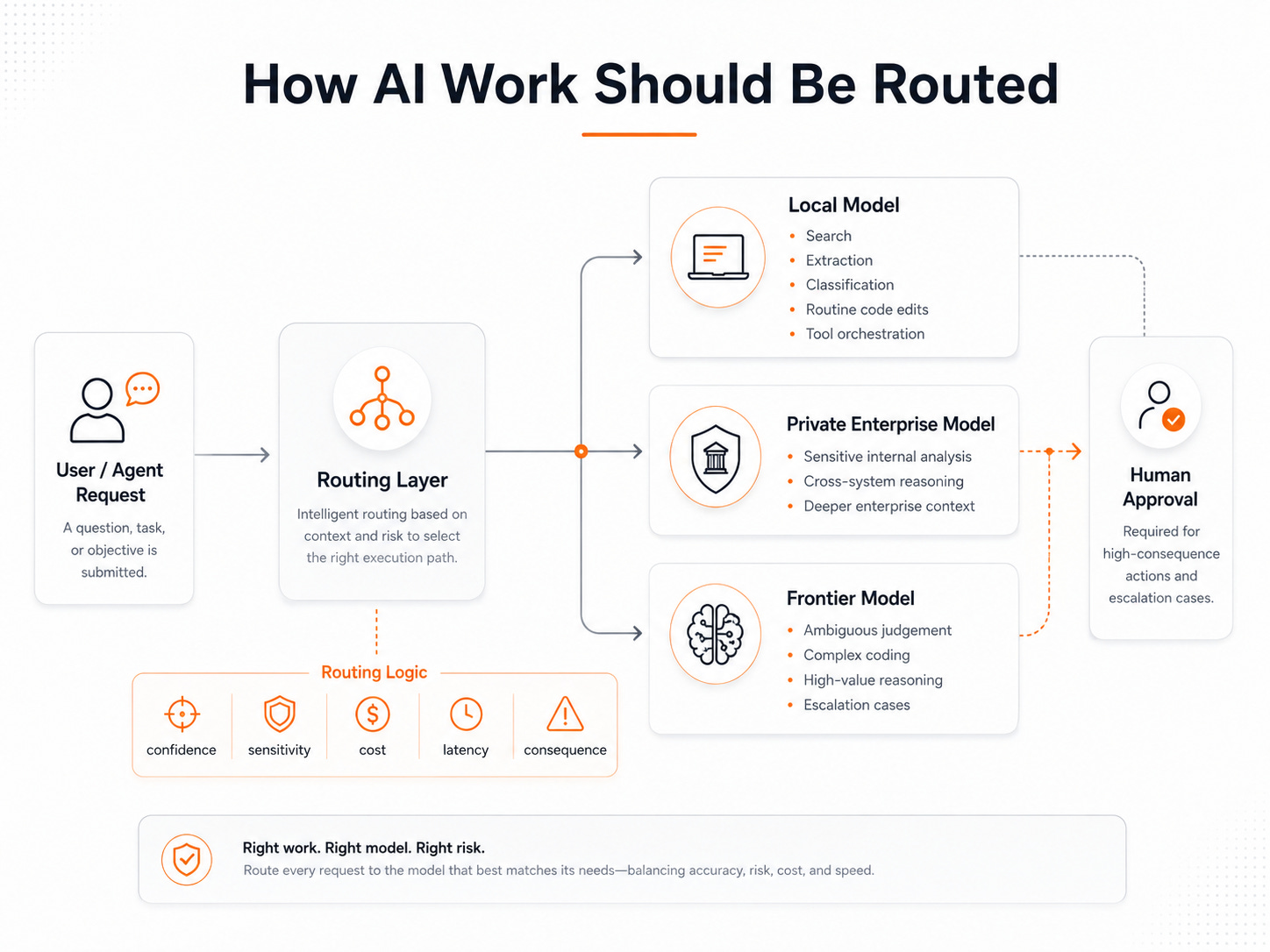
The routing policy becomes part of AI FinOps. Confidence, latency, data sensitivity, task value and consequence should all affect where a request goes.
Governance has to follow the same route. A local agent connected to GitHub, SharePoint, SAP or operational systems still needs identity, narrow permissions, audit logs, approval gates and a way to stop it.
Running locally does not remove the control problem. It brings more of it inside the company.
Glimmer’s native context is also around 131K tokens, well below the largest context windows now offered by frontier cloud models. A serious local agent cannot keep solving that by dumping more history into the prompt. It needs retrieval, summaries, persistent state and selective memory.
What I would actually buy
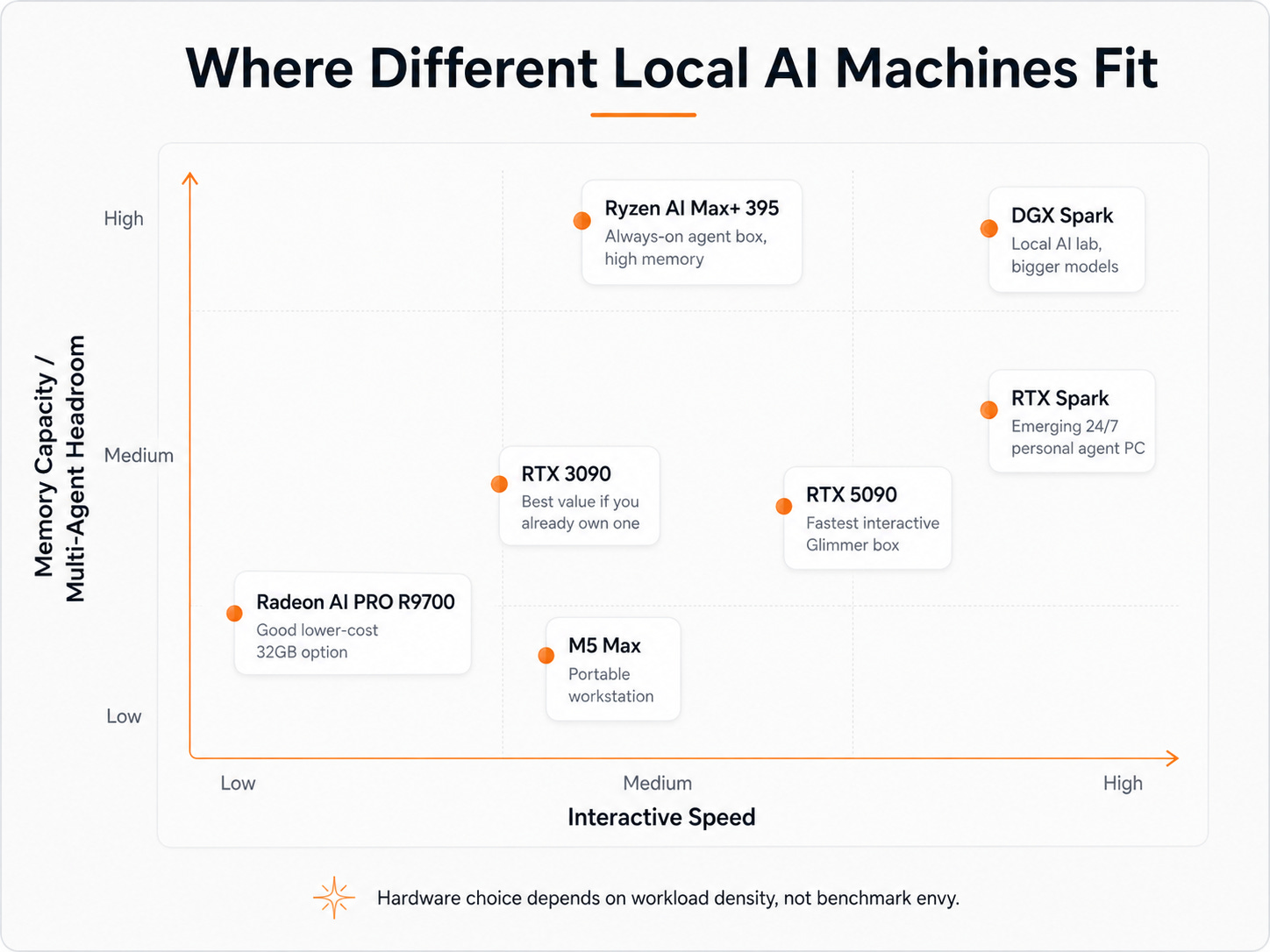
Already own an RTX 3090? Keep it.
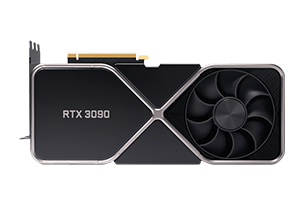
Users have squeezed Glimmer, DFlash, vision and a large context into its 24GB of VRAM, with reported generation between 64 and 124 tok/s depending on whether it is producing prose or predictable code. Used 3090s currently sit around the $1,000 to $1,300 range in much of the market. It remains one of the cheapest credible ways to build a serious local-agent machine.
Buying for speed? RTX 5090.
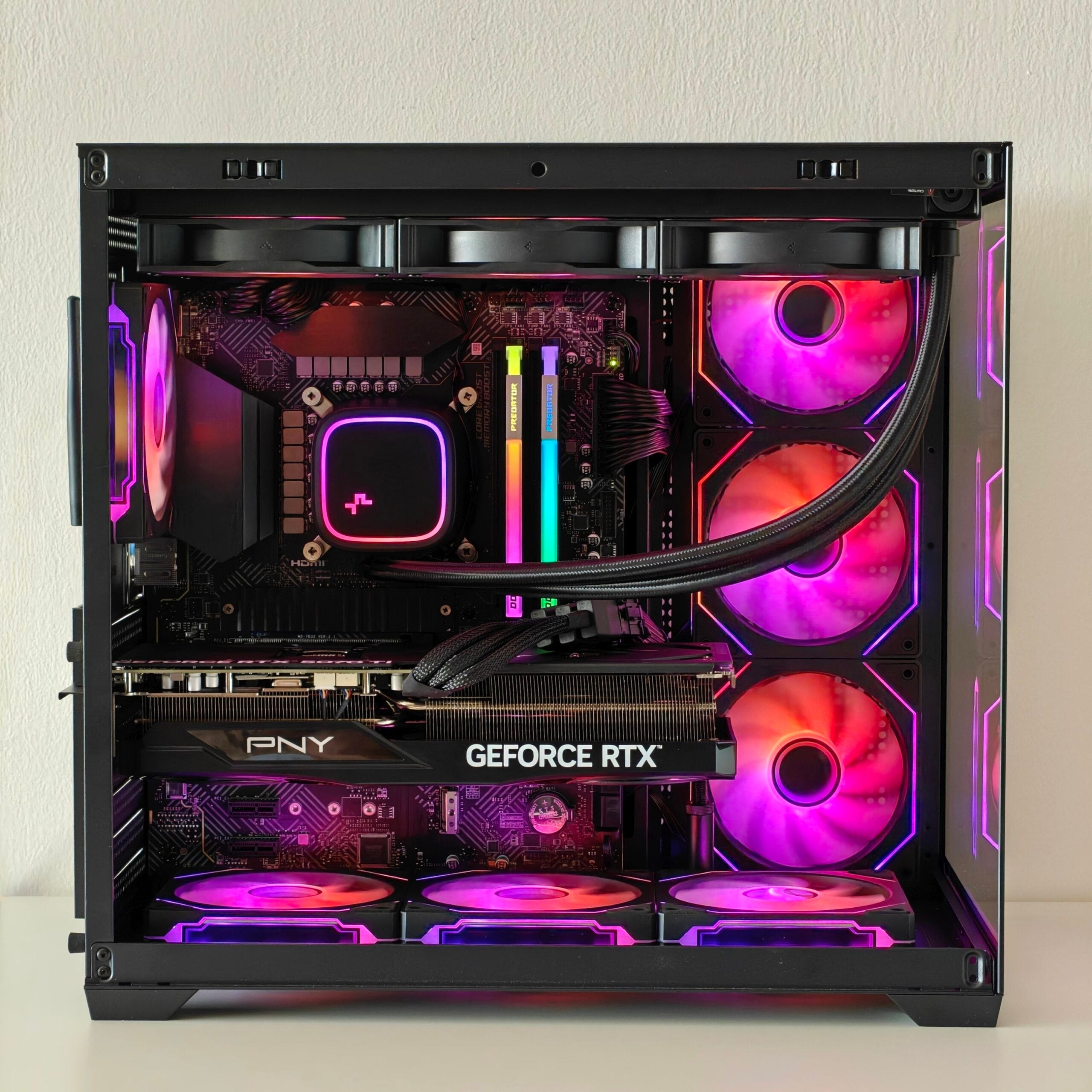
Meta’s 233.4 tok/s result makes it the obvious choice for one fast, interactive Glimmer agent. The card launched at $1,999, although current market prices above $4,300 make the economics far less attractive. At MSRP, it is a strong local AI workstation. At today’s inflated prices, buy it for sustained workloads, not subscription arbitrage.
Need a portable workstation? M5 Max.
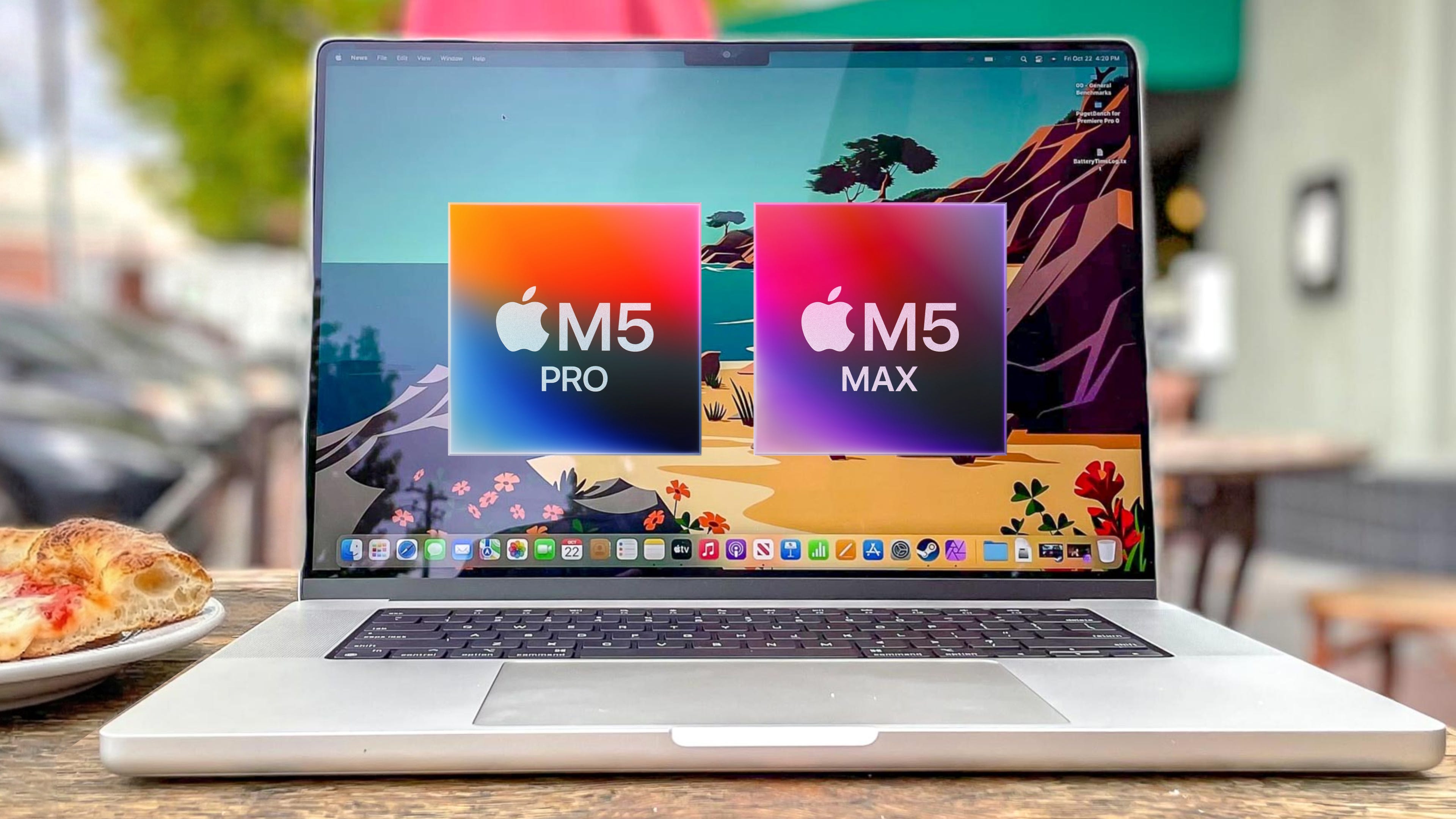
Meta measured 50.2 tok/s with DFlash. The machine starts at $3,599 and can be configured with 128GB of unified memory and 614GB/s of memory bandwidth. It gives up 5090 speed, but it can run Glimmer comfortably and still has room for much larger quantised models.
Want a lower-cost 32GB GPU? Radeon AI PRO R9700.
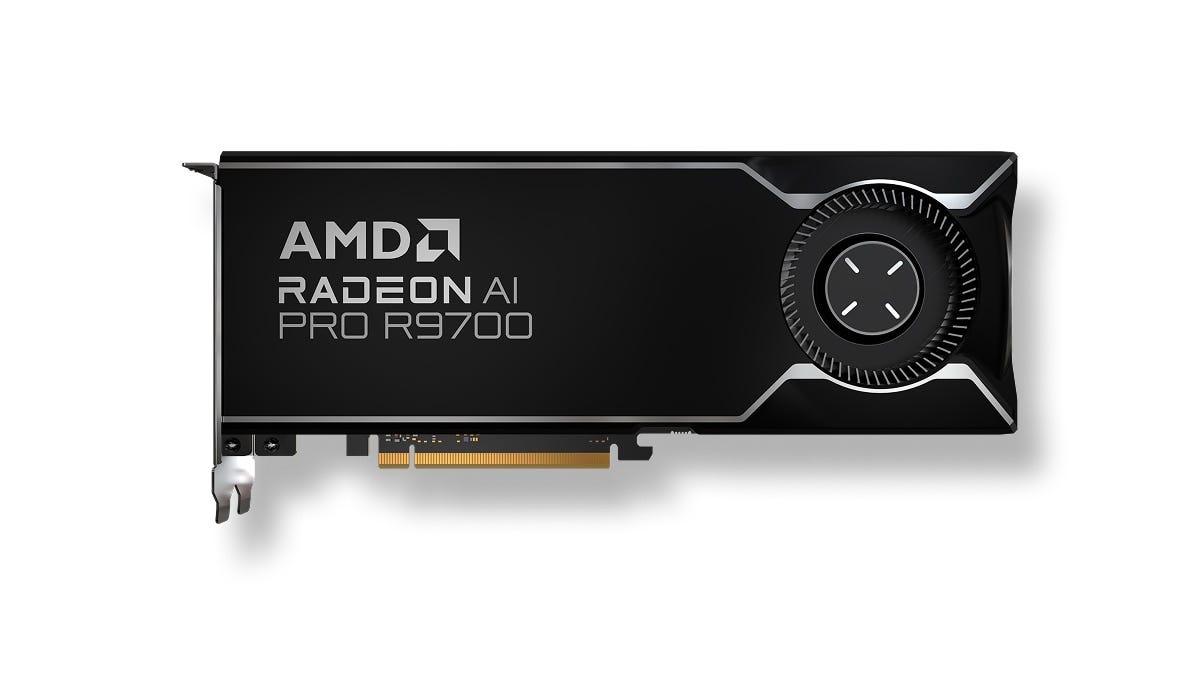
AMD measured up to 53 tok/s with DFlash. The card launched at $1,299 and currently sells closer to $1,400 to $1,500. The hardware value is good; the local AI software stack still requires more patience than NVIDIA.
Building an always-on agent box? Ryzen AI Max+ 395.
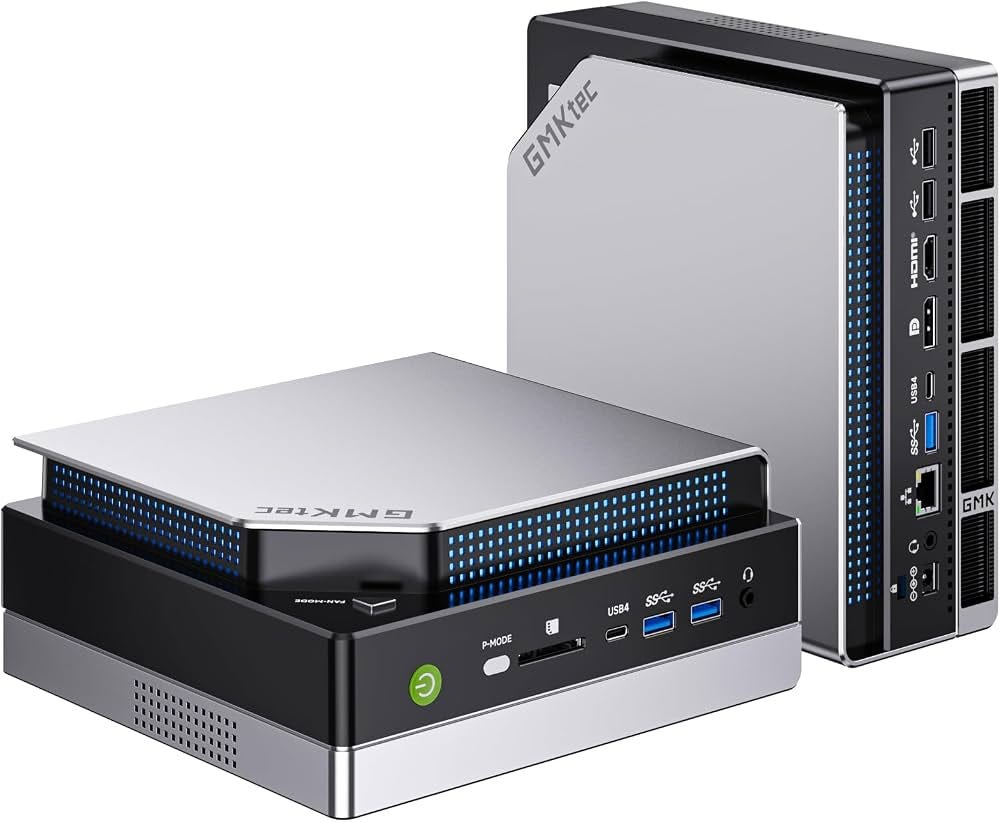
Its 24 tok/s will not impress anyone watching code stream onto a screen. The attraction is up to 128GB of unified memory in a compact system. Current machines range from roughly $2,000 to $3,500 depending on configuration. Good for OpenClaw, RAG, document processing and background agents. Less compelling for low-latency interactive coding.
DGX Spark only makes sense if Glimmer is the smallest model on your roadmap.
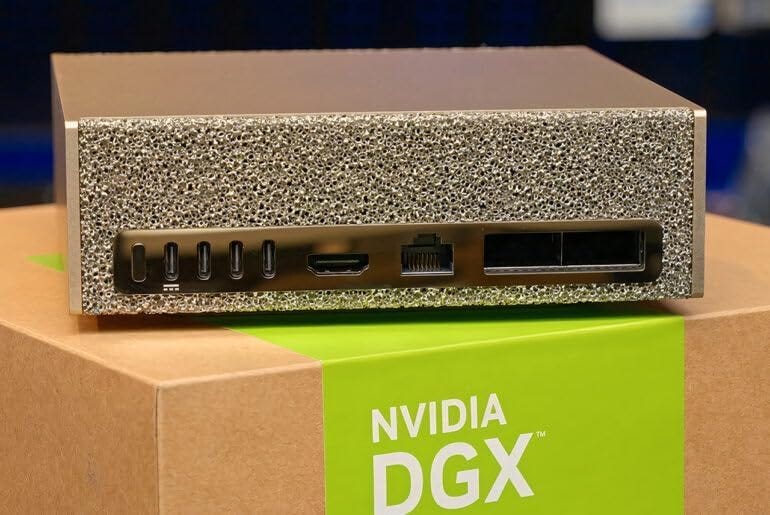
Spark costs $4,699 and has 128GB of unified memory. Early Glimmer runs are around 25 tok/s for prose and 35 for code with DFlash. A 5090 is far faster. Spark earns its place when you want 70B-plus models, several concurrent agents, local fine-tuning or experiments that simply do not fit inside 32GB.
RTX Spark is worth watching, not pre-ordering blindly.
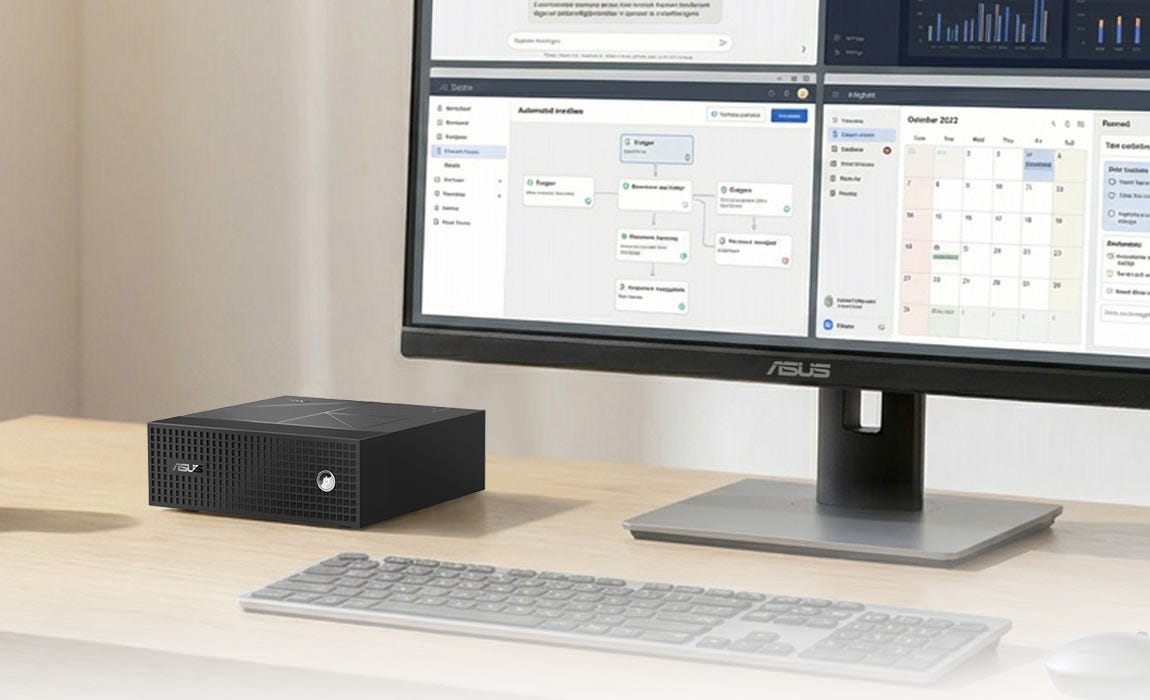
NVIDIA is bringing up to 128GB of unified memory and one petaflop of FP4 compute into ordinary Windows PCs. I would expect Spark-like speeds in the tens of tokens per second rather than 5090-like hundreds. The appeal is not benchmark leadership. It is keeping the model, context and agent stack resident in one normal PC all day.
The enterprise decision
Most AI programmes still treat model selection as the architecture.
The harder decision is workload placement: which actions stay on the device, which run on private infrastructure, which deserve a frontier-model call, and which require human approval.
The same pattern extends beyond knowledge work. Cameras, industrial gateways, vehicles, robots and drones cannot make every small decision through a permanent round trip to a frontier API. They need capable local inference, bounded authority and cloud escalation when the situation exceeds the local model.
Model routing. Agent identity. Memory. Evaluation. Observability. Tool security. Local serving. Control planes.
The weights are downloadable. The enterprise operating layer is not.
I would keep Claude and Codex. I would stop using them as the default engine for every search, extraction, tool call and routine patch.
Put the repetitive, private and verifiable work on owned compute. Escalate the hard and ambiguous work. Keep deterministic controls around anything consequential.
Meta has made that split credible on a machine that fits under a desk.
Welcome back.