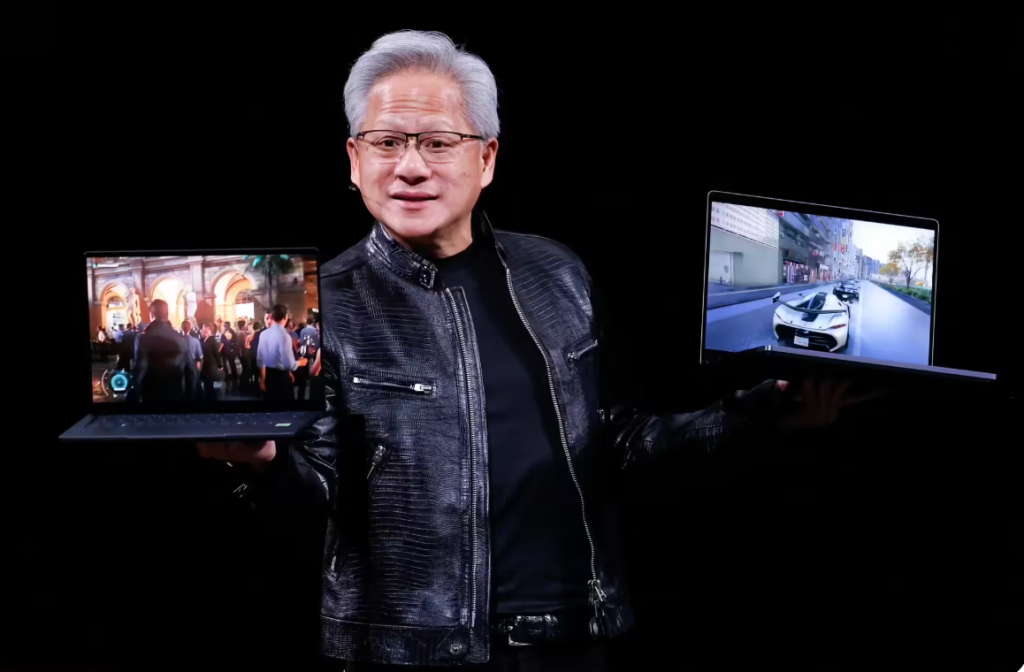
RTX Spark is NVIDIA’s bet that your next machine will be built for gaming, local LLMs, CUDA workflows, and on-device AI – all in one box.
For the last decade, the personal computer has been split into two different religions.
On one side, there was the performance machine.
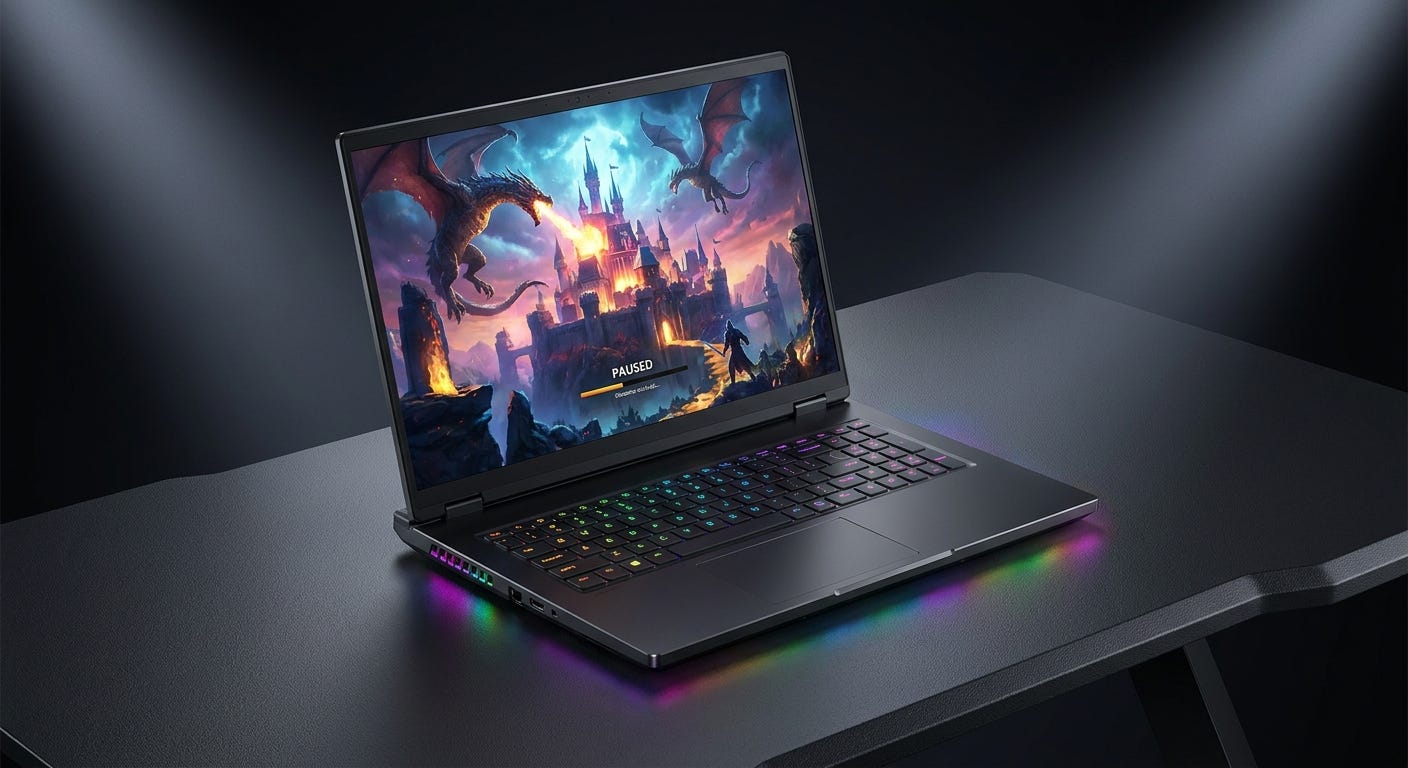
Think ASUS ROG Strix Scar, Lenovo Legion Pro, Alienware m18, Razer Blade, MSI Raider. Big CPU. Big NVIDIA GPU. Dedicated VRAM. High-refresh display. The kind of machine that could run Cyberpunk with ray tracing, chew through Blender renders, accelerate CUDA workloads, and make you feel like you owned a portable workstation.
But there was always a catch.
These machines were powerful, but they were never really graceful. Performance depended on power limits, cooling design, fan curves, and whether the laptop was plugged into a brick the size of a small console. The same GPU name could behave very differently across machines because thermals decided everything. Push the chassis thinner and the fans screamed. Push the wattage higher and battery life became almost symbolic.
So yes, the gaming laptop worked.
But it worked like a compromise: portable enough to move, powerful enough when plugged in, and elegant almost never.
On the other side, there was the efficiency machine.
Think MacBook Air, MacBook Pro with Apple Silicon, MacBook Neo, Surface Laptop with Snapdragon X, Lenovo Yoga Slim 7x, and the newer Dell XPS-style thin and light machines. These were built around a different target: performance per watt.
Apple made this shift impossible to ignore.
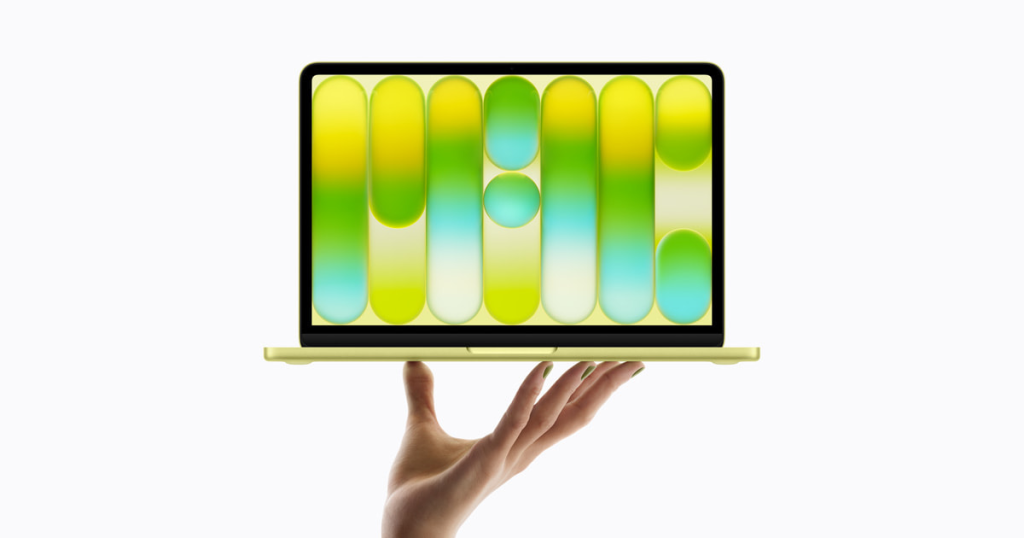
In 2020, Apple began moving the Mac away from Intel and onto its own ARM-based Apple Silicon. The first M1 MacBook Air looked almost the same as the old Intel model from the outside, but it behaved like a different class of computer. It was fanless. It was quiet. It woke instantly. It ran cool. The battery lasted forever by old laptop standards. For most normal work, it felt faster than the machines it replaced.
That was the moment ARM laptops stopped looking like experiments.
Apple had taken the design philosophy of the iPhone and scaled it into the Mac. CPU cores, GPU cores, Neural Engine, media engines, memory controller, security, display logic, and power management were designed as one system. The operating system knew the silicon deeply. The memory was unified. The video engines were dedicated. The laptop no longer felt like a smaller desktop. It felt like a modern device.
The MacBook Air made the point at mass scale. The MacBook Pro proved the same architecture could move upward into serious creator machines. More recently, MacBook Neo pushed the same idea downward into the entry-level market: a low-cost MacBook built around mobile-class Apple silicon, long battery life, a premium chassis, and enough performance for the majority of everyday users.
By the time Apple brought Apple Silicon to the Mac Studio and Mac Pro, the argument was over. ARM was no longer just a phone architecture. It had become a premium personal computing architecture.
Qualcomm then pushed the same idea into Windows.
Snapdragon X attacked the market from the efficiency side: thin machines, long battery life, instant wake, low heat, integrated NPUs, and a Windows experience that felt closer to a mobile device. It also forced Microsoft and developers to take Windows on ARM more seriously. Native apps improved. Prism emulation improved. OEM designs improved.
So the efficiency track became real.
It had ARM.
It had system-on-chip integration.
It had dedicated media engines.
It had unified memory.
It had battery life.
It had silence.
The gaps were also clear. Gaming was not its natural home. Windows on ARM was improving, but older apps, drivers, plugins, and anti-cheat systems could still be awkward. Apple had excellent silicon, but not the Windows gaming ecosystem. Qualcomm had strong CPU efficiency, but not the high-end NVIDIA graphics and CUDA stack.
So the split remained.
The gaming laptop had power, but fought heat.
The ARM laptop had efficiency, but gave up too much gaming and GPU developer comfort.
RTX Spark is interesting because it tries to combine the parts that were previously separate: ARM efficiency, unified memory, RTX graphics, CUDA, creator acceleration, and local model capability in one personal machine.
Why Unified Memory Matters, and Why Local LLMs Changed the Roadmap
For years, PC memory was split cleanly.
The CPU had system RAM. The GPU had VRAM.
System RAM handled Windows, apps, browsers, files and background processes. VRAM handled textures, frame buffers, shaders, geometry, render targets and GPU compute data. That split made sense because the CPU and GPU were doing different jobs.
Gaming loved this model.
A game wants the GPU to move graphics data very quickly. Dedicated GDDR memory is built for that. It sits close to the GPU and delivers high bandwidth. Textures, lighting buffers, ray tracing data, frame buffers and shader workloads all benefit from fast local GPU memory.
Local LLMs changed the pressure point.
A local model is not just an app that occasionally uses the GPU. The model itself has to live in memory. The context lives in memory. The cache lives in memory. The documents, code, images, embeddings or tool outputs around the model may also sit in memory.
The machine starts behaving less like a normal laptop and more like a small inference server.
The first load is model weights.
A 7B model has around 7 billion parameters. A 70B model has around 70 billion. In FP16, each parameter uses 2 bytes. Very roughly, a 70B model in FP16 needs around 140GB just for weights before context, cache or overhead.
Quantization stores model weights in fewer bits. INT8 uses 8 bits. INT4 uses 4 bits. FP4 uses 4-bit floating point. Lower precision cuts memory usage dramatically. It can also improve speed when the hardware has matrix units designed for that format.
A 7B or 8B model can run on many modern machines.
A 30B model starts to feel serious.
A 70B model needs aggressive quantization and enough memory.
A 100B plus model pushes the machine into a different class.
The second load is context.
Your prompt is split into tokens. The model processes those tokens in the prefill stage. This is where the prompt, chat history, files, code snippets or retrieved documents are read into the model.
Prefill is compute heavy. GPUs and NPUs are useful here because transformer models use large matrix multiplications.
Then generation begins.
This is the decode stage. The model predicts one token, then the next, then the next. Decode is more sequential. It often becomes sensitive to memory bandwidth because the system keeps moving model data and cache data while generating each token.
The third load is KV cache.
Transformers use attention to connect the current token to previous tokens. To avoid recomputing everything again and again, the model stores key and value tensors from earlier tokens. That stored memory is the KV cache.
Longer context means a larger KV cache.
A short chat is easy.
A long coding session is harder.
A local agent reading a codebase, keeping conversation history, calling tools, summarizing files and remembering earlier steps can consume memory quickly.
This is why context length is not free. A model may advertise a huge context window, but the machine still needs memory to use it properly.
This also explains why chip roadmaps started changing.
For small, repeated, battery-sensitive AI tasks, the NPU is attractive. Qualcomm’s Snapdragon X Elite is a good example. Its Hexagon NPU is rated up to 45 TOPS, paired with LPDDR5x memory bandwidth around 135GB/s. That is the right kind of architecture for efficient on-device AI features: background blur, eye contact, transcription, summarization, image enhancement, local assistants and repeated inference that should not wake a big GPU every time.
Qualcomm’s approach is especially strong when the priority is performance per watt. Run the AI task locally. Keep the device cool. Preserve battery. Avoid sending private data to the cloud when the local model is enough.
Large local LLMs push a different part of the system.
An NPU is efficient, but it may not be the most flexible target for every open-source model, custom operator, long-context workflow or GPU-accelerated developer stack. Developers also need memory capacity, bandwidth, framework support and the ability to run the messy code that exists today.
That is where unified memory becomes important.
In a unified memory design, the CPU, GPU and accelerators access one shared memory pool. The machine does not behave like two separate memory islands. The GPU can work against a much larger addressable memory space. The CPU can keep the workflow moving without constantly crossing a hard boundary between system RAM and VRAM.
With 8GB or 12GB VRAM, many useful local models are limited.
With 16GB or 24GB, local AI becomes much more useful, but you are still thinking in terms of what fits inside the GPU memory box.
With 32GB, a high-end desktop GPU can run many serious workloads, but large models, long context, multimodal pipelines or multiple models can still hit the ceiling.
A 128GB unified memory machine changes the question.
A coding assistant may need the model, your repository, documentation, terminal logs, test output and chat history.
A video understanding workflow may need frames, clips, transcripts, object detections and summaries.
A creator workflow may need images, masks, control maps, reference assets, generated frames and editing timelines.
A physical AI workflow may need camera streams, sensor data, scene history, maps, rules, simulation assets and a reasoning model.
Bandwidth still matters. Latency matters. Software optimization matters. Dedicated GDDR on a high-end GPU can move data faster than LPDDR unified memory. HBM in data center GPUs is far ahead again.
So the tradeoff is clear.
Dedicated VRAM gives high bandwidth, but a fixed smaller pool.
Unified memory gives a larger shared pool, but usually lower graphics-class bandwidth.
For pure gaming, bandwidth often wins.
For local AI and mixed creator workflows, capacity and flexibility can matter more.
That is why the roadmap changed. The old buying question was mostly CPU speed, GPU speed and battery life. The new question adds memory architecture.
Can the model fit?
Can the context fit?
Can the cache fit?
Can the workflow fit?
Can it run locally without turning every experiment into a cloud job?
Hence the focus on unified memory.
It is not just more RAM. It changes what kind of personal machine you can build.
RTX Spark: NVIDIA’s All in One Play
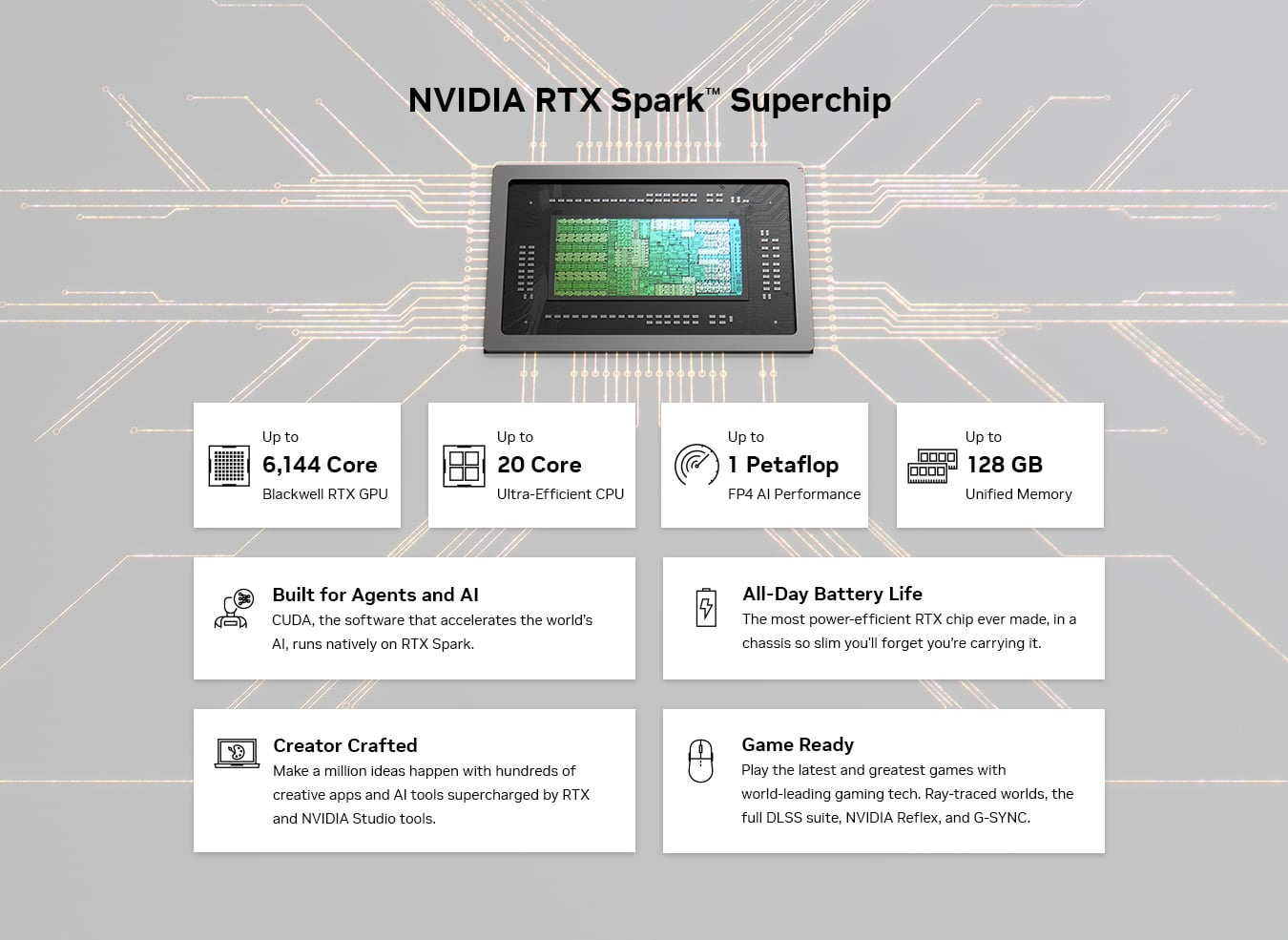
RTX Spark is NVIDIA moving from “the GPU inside the PC” to something closer to “the platform inside the PC.”
The headline configuration is unusual for a Windows machine: a Grace ARM CPU, a Blackwell RTX GPU, native CUDA, RTX graphics, DLSS, TensorRT, and up to 128GB unified memory in slim laptops and small desktops. NVIDIA’s official description lists a Blackwell RTX GPU with 6,144 CUDA cores and fifth-generation Tensor Cores with FP4 precision, connected over NVLink-C2C to a 20-core Grace CPU. The product page also positions RTX Spark around local prototyping, fine-tuning and inference with up to 128GB unified memory.
That combination matters because NVIDIA has normally entered the personal computer through the discrete GPU. The CPU platform came from Intel or AMD. The memory was split. The laptop maker decided the cooling design. The user got whatever balance of power, noise, heat and battery life the final chassis could manage.
RTX Spark changes the shape of the machine.
The CPU and GPU are part of one integrated platform. The CPU side is ARM-based and designed with MediaTek input. The GPU side is Blackwell RTX. The memory pool is shared. CUDA runs locally. The same machine is meant to handle Windows apps, creator workflows, local models and gaming.
This is closer to the Apple Silicon and console APU direction than the old gaming laptop direction, but with NVIDIA’s software stack attached.
For games, Blackwell is not only a normal shader upgrade. NVIDIA’s RTX Blackwell architecture brings fifth-generation Tensor Cores, fourth-generation RT cores, new streaming multiprocessors optimized for neural shaders, and the DLSS 4 generation of neural rendering. NVIDIA describes DLSS Multi Frame Generation as a Blackwell feature enabled by fifth-generation Tensor Cores.
The output is practical.
DLSS Super Resolution renders a game internally at a lower resolution and reconstructs a higher-resolution image. The player sees higher FPS at similar visual quality.
Frame Generation creates extra frames between rendered frames. The player sees smoother motion, especially on high refresh displays.
Reflex reduces latency by managing how the CPU and GPU queue frames. The player gets lower input lag, which matters in competitive games.
RT cores accelerate ray tracing. The player gets better lighting, reflections, shadows and global illumination when the game supports it.
That is the gaming side of the NVIDIA stack. It is not just “more GPU.” It is image reconstruction, latency reduction, ray tracing, driver support and developer adoption working together.
The AI side uses the same Blackwell generation differently.
Transformer models are full of matrix multiplication. Tensor Cores are built to accelerate that kind of math. FP4 support matters because large models increasingly depend on lower precision formats to reduce memory use and improve throughput. A model that is impractical in FP16 can become practical in INT4 or FP4 if the quality holds up and the hardware supports the format efficiently.
TensorRT-LLM is another piece of the stack. NVIDIA describes it as an open-source library for high-performance, real-time LLM inference optimization on NVIDIA GPUs, from desktop systems to data centers. It sits in the practical layer where model execution is optimized, kernels are tuned, batching is handled, and inference performance becomes less theoretical.
CUDA is not a decorative feature for developers. It is the default road for a large part of AI software. PyTorch CUDA builds, cuDNN, TensorRT, TensorRT-LLM, Docker images, ComfyUI nodes, diffusion pipelines, video AI tools, robotics stacks, simulation tools and research repos have years of NVIDIA assumptions built in.
A developer can make AMD, Apple or Qualcomm machines work for many local workloads. In some cases, they are excellent. But the NVIDIA path often has fewer sharp edges because more software was tested there first.
The practical impact is simple.
More examples run.
More containers work.
More tutorials match your hardware.
More optimization paths already exist.
More creator and AI tools expect your GPU.
For creators, RTX Spark also inherits the broader RTX platform. Studio drivers, CUDA acceleration, OptiX, RTX Video, AI image and video workflows, 3D rendering pipelines and supported creative apps all contribute to the same appeal. If the machine can run local models and also accelerate real creator software, it becomes easier to justify as one serious personal machine instead of a niche local AI box.
The memory is the other half.
Up to 128GB unified memory means the machine can keep larger working sets active than a normal discrete GPU laptop. This is useful for local models, long context, creator projects, large datasets, video pipelines and experiments that combine several tools at once.
It also creates the main tradeoff.
Unified LPDDR memory is not the same as GDDR7 on a high-power discrete gaming GPU. Dedicated gaming GPUs use very high bandwidth VRAM because games and rendering are hungry for bandwidth. A shared memory SoC gives capacity and flexibility, but it can be more constrained when a workload needs maximum graphics throughput.
So RTX Spark should not be described as a pure gaming laptop killer.
It is a different balance.
A high-power gaming laptop with a discrete RTX GPU may still win in raw FPS, especially when plugged in and cooled properly. A desktop GPU will still be better for maximum performance per frame. RTX Spark is more interesting when the buyer wants strong gaming, local model capability, CUDA, creator acceleration and a large memory pool in one machine.
PlayStation and Xbox use AMD semi-custom APUs because consoles need one integrated system with controlled cost, thermals, CPU, GPU and memory behavior. Game developers optimize against that hardware for years. GTA VI launching first on PS5 and Xbox Series X/S is a reminder that AMD’s console APU base remains central to the largest gaming releases. Rockstar has set GTA VI for console launch in November 2026, with the PC version not part of the initial launch announcement.
On the PC, NVIDIA has the premium graphics stack, DLSS, ray tracing adoption, Reflex, creator acceleration and CUDA. RTX Spark brings that advantage into a more integrated form factor.
The honest read is that RTX Spark will live or die on balance.
If the device is priced like a premium machine, the gaming performance has to feel premium enough.
If it is sold as a local model machine, token speed, memory bandwidth and software setup have to feel real.
If it is sold as a Windows on ARM machine, app and game compatibility have to keep improving.
If OEMs chase thinness too hard, thermals can still ruin the promise.
The architecture is still one of the most interesting PC moves in years because it puts the pieces together in a new way: ARM CPU, Blackwell GPU, CUDA, RTX, DLSS, TensorRT and 128GB unified memory.
A gaming laptop usually starts with the GPU and works outward.
RTX Spark starts with the full platform.
What Changes When Every Device Has a Local Model
The bigger shift is not that one expensive machine can run a local LLM.
The bigger shift is that software will start assuming some local intelligence is already present on the device.
That changes application architecture.
Today, most AI apps are cloud first. The app collects context, sends it to an API, waits for a response, then shows the user an answer. That model works well for frontier reasoning, large generation tasks and products that need the best possible model at all times.
It is also expensive, slow in some workflows and awkward for private data.
A local model changes the default path.
The app can first ask the device itself. Summarize this note. Classify this email. Extract fields from this invoice. Search these documents. Clean up this image. Transcribe this meeting. Explain this code file. Detect the important moment in this clip. Decide whether this task needs the cloud.
The local model does not need to replace the cloud model. It can become the routing layer.
A future app may have a simple internal flow:
Local small model handles classification, summarization, search, extraction and private context.
Local embeddings index the user’s files, code, notes, clips and documents.
The NPU handles low-power repeated inference throughout the day.
The GPU handles heavier local models, image generation, video work, developer tools and flexible acceleration.
The cloud model is called only when the task needs more reasoning, more scale, fresher knowledge or enterprise orchestration.
That is a very different software model from “send every prompt to the API.”
Sort of the same architecture I tried to build in my Cloud Video Analyze project –
It also changes how developers think about the device.
A local model becomes a platform capability, almost like the camera, microphone, GPS, GPU or secure enclave. Apps can request access to local context. The operating system can manage permissions. The model router can decide whether to use CPU, NPU, GPU or cloud. The app can ask for a capability instead of hardcoding one model path.
This is where Qualcomm’s work is very important.
Snapdragon platforms are built for the always-on side of this future. A 45 TOPS NPU is not there to replace a giant cloud model. It is there to run efficient local tasks again and again without destroying battery life. Camera effects, transcription, background cleanup, local summaries, meeting notes, personal assistants, enterprise productivity and privacy-sensitive inference all benefit from that kind of endpoint architecture.
That is a powerful position.
Most local AI usage will not need a huge GPU every second. It will need a quiet, efficient chip that can keep helping in the background. Qualcomm has been building exactly that muscle across phones, PCs, automotive, cameras, XR and connected edge devices.
RTX Spark sits in a higher performance layer.
It is the machine for people who need more memory, CUDA, RTX graphics, creator acceleration and flexible local model work in one box. The Snapdragon endpoint is the efficient everyday local intelligence layer. RTX Spark is the builder machine, the creator machine, the local lab.
The same idea extends into physical AI.
A physical AI system is not a chatbot. It is software connected to cameras, sensors, machines, buildings, vehicles, factories, robots and cities.
A smart building workflow may combine fire sensors, room layouts, occupancy data, maintenance history, alarms and authority workflows.
A security workflow may combine camera feeds, intrusion events, object detection, event history and escalation rules.
A robotics workflow may combine camera input, maps, simulation, motion planning, control loops and safety checks.
Those systems will not run entirely on one laptop. Production deployments will use cameras, gateways, industrial PCs, Jetson-class modules, cloud platforms and data center models.
The personal machine sits between development and deployment.
It lets a builder test the vision model, the local LLM, the rules layer, the scene state, the video pipeline and the agent logic before pushing anything to edge hardware or the cloud. That local loop is valuable because real-world data is messy. Camera clips are large. Sensor logs are noisy. Enterprise data is private. Physical systems need testing before automation touches production.
The data center story also becomes more nuanced.
Local models will not stop the AI data center buildout. Training frontier models still needs massive clusters. Large-scale inference still needs cloud infrastructure. Enterprise AI still needs orchestration, security, governance, monitoring and updates. Synthetic data, simulation and evaluation will continue to consume huge compute.
The change is in workload placement.
A lot of today’s cloud inference is low-value repetition: summarize, classify, extract, rewrite, search, tag, route, clean up, transcribe, pre-process. As endpoint models improve, more of that work can move to the device. That reduces unnecessary cloud calls, improves privacy and lowers latency.
At the same time, total AI usage may grow.
When inference becomes local, cheap and private, people use more of it. Apps add AI features that would have been too expensive if every action required a cloud model. Devices become more active. Edge systems process more streams. Personal agents keep more context. Enterprises run more private workflows.
So the implication for data center capex is not a simple reduction.
The demand mix changes.
Cloud capacity is still needed for training, frontier reasoning, heavy multimodal tasks, enterprise scale and burst workloads. But the cloud becomes part of a hierarchy rather than the only place intelligence lives.
The new architecture looks more like this:
Endpoint NPU for low-power local tasks.
Endpoint GPU for heavier local models and creator workflows.
Personal AI machine for development, private context and larger local experiments.
Edge compute for real-time perception near cameras, robots and industrial systems.
Cloud and data centers for frontier models, training, orchestration, scale and shared intelligence.
That is a healthier architecture than pushing every token, every file and every video frame to a remote API.
It also explains why RTX Spark is more than a niche enthusiast product.
A pure gamer may still buy a traditional gaming laptop or desktop.
A normal office user may still be better served by a Snapdragon laptop, MacBook Air or standard ultrabook.
A person who only uses cloud AI subscriptions may not need this machine.
RTX Spark is for the overlap user: the gamer who builds, the developer who runs local models, the creator who wants acceleration, the privacy-sensitive professional, the robotics experimenter, the video AI builder, the physical AI engineer, the person who wants one serious machine instead of a gaming rig, a local model box and a creator workstation.
The result is not just a faster laptop or a smaller workstation.
It is a new local compute layer.
A machine that plays games, runs creator workloads, holds private context, runs local models, tests physical AI pipelines and decides when the cloud is actually needed.
The personal AI machine is here.
And it games.
And I am ordering it as soon as it becomes available. If I can afford it 😉